Ready-made connectors, no code
Link ERPs, CRMs, e-commerce platforms and spreadsheets using pre-built connectors. Teams configure integrations through the interface instead of building them from scratch.
Cloud integration platform
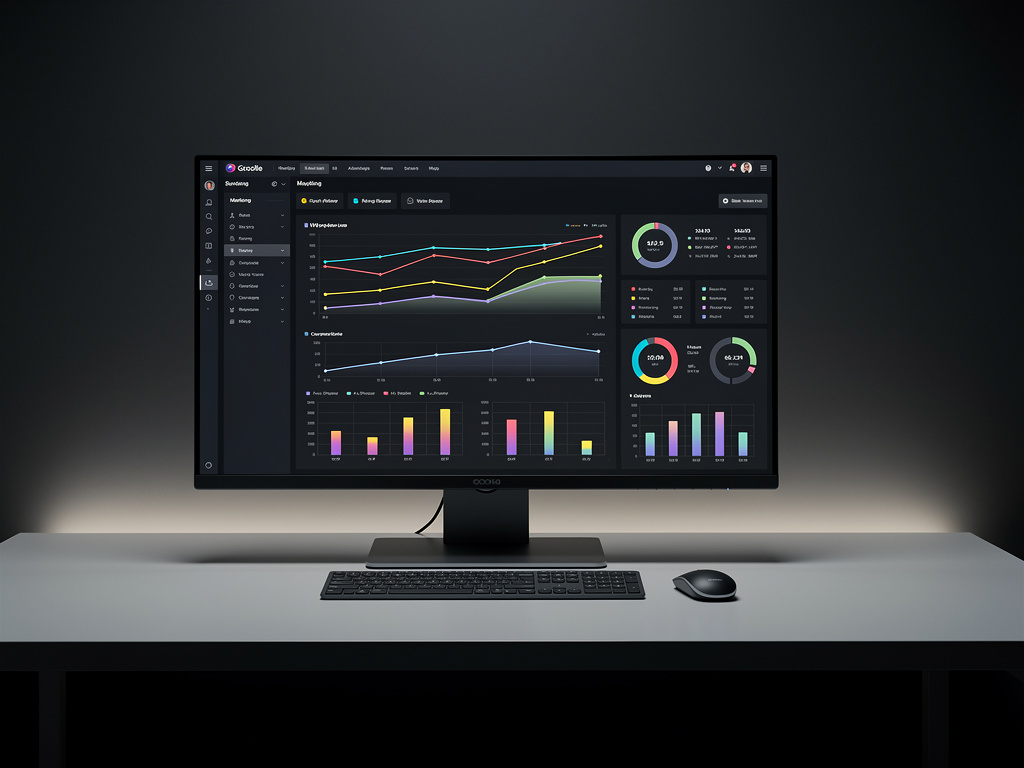
Haroldasiconext connects ERPs, CRMs, e-commerce platforms and spreadsheets through ready-made connectors and APIs. Build automated flows, sync records and orders, and follow every execution in a single panel — no internal development required.
30-day satisfaction guarantee

Connect your systems. Without writing code.
Capabilities
Link ERPs, CRMs, e-commerce platforms and spreadsheets using pre-built connectors. Teams configure integrations through the interface instead of building them from scratch.
Create flows that move data between systems on your rules. Define what is sent, when it is sent and where it lands, then adjust it whenever the operation changes.
Customer records, product data and orders stay aligned across connected systems as transactions happen, reducing manual re-typing between tools.
Follow all integrations in a single dashboard. See what ran, what is pending and what failed without opening each system separately.
Get alerted when an execution fails and review the full history of what was sent. Investigation starts with the log instead of a guess.
When a scenario goes beyond the standard connectors, your team can use the APIs to extend the integration on its own terms.
The flow
Choose the connectors for the tools you already use — ERP, CRM, e-commerce or spreadsheets — and authorize the connection.

Define the data that moves, the direction and the triggers. Map fields between systems directly in the interface.

Activate the flow and follow every execution in the panel, with failure alerts and send history. Add new connections as the operation grows.

Operating model
Subscription
Monthly access to the cloud platform. Pick the plan that matches the volume your operation moves today and move up as it grows.
Haroldasiconext is sold as a monthly subscription: it renews automatically every month until you cancel it. The plan is chosen according to the number of connections and the volume of calls processed. contact our support team
To stop the renewal, the subscription can be cancelled when you no longer want to renew it. contact our support team
Access is delivered through the cloud platform, with no installation on your servers. Full details in the Terms of Use, the Refund Policy and the Shipping page.

About
Haroldasiconext was created for IT, operations and e-commerce teams at small and mid-sized companies — the ones that need systems to exchange data now, without opening a development project for every new connection.
The platform runs in the cloud and brings connectors, APIs, automated flows and monitoring into one place. Instead of scattered scripts and manual exports, your team gets a single view of what is running and what needs attention.
Access works as a monthly subscription, with plans that scale according to the volume of connections and calls processed, so the cost follows the size of your operation.
“To make system integration something an operations team can set up, understand and maintain on its own.”
Company detailsHaroldasiconext · Reg. · · [email protected] ·
Answers
Haroldasiconext is sold as a monthly subscription. The plan is chosen according to the number of connections and the volume of calls processed. contact our support team
The subscription is recurring and can be cancelled when you no longer want to renew it. contact our support team
Refund requests are handled by our support team. contact our support team
Access is delivered through the cloud platform, with no installation on your servers. contact our support team
The ready-made connectors and flow builder are designed to be configured without code. For cases that go beyond the standard connectors, the platform also exposes APIs that a technical team can use.
The platform connects ERPs, CRMs, e-commerce platforms and spreadsheets through ready-made connectors and APIs. contact our support team
Failed executions appear in the monitoring panel and trigger failure alerts, and the send history shows what was processed so the team can review and act. contact our support team
Plans vary according to the number of connections and calls processed, so higher volumes move to a larger plan. contact our support team
Monday to Friday, 9 a.m. to 6 p.m.
Next step
Tell us which tools your operation uses today and we will show how the connectors, flows and monitoring work in practice.
Request a demo